


Issuing an official Saudi Commercial Registration (CR) online via the Saudi Business Center (business.sa) is the foundational legal step for launching a verified e-commerce store, activating Saudi payment gateways (Mada, Apple Pay, Tabby, Tamara), and enrolling in corporate developer programs on Apple App Store and Google Play. This illustrated step-by-step guide walks you through the modern unified 700-number registration workflow.
🔗 Related Setup Guides:
Before issuing your CR, ensure you have an active SPL address using our Saudi National Short Address (SPL) Guide. Once your CR is issued, follow our Free Saudi D-U-N-S Number Guide to enroll your company on Apple and Google app stores.
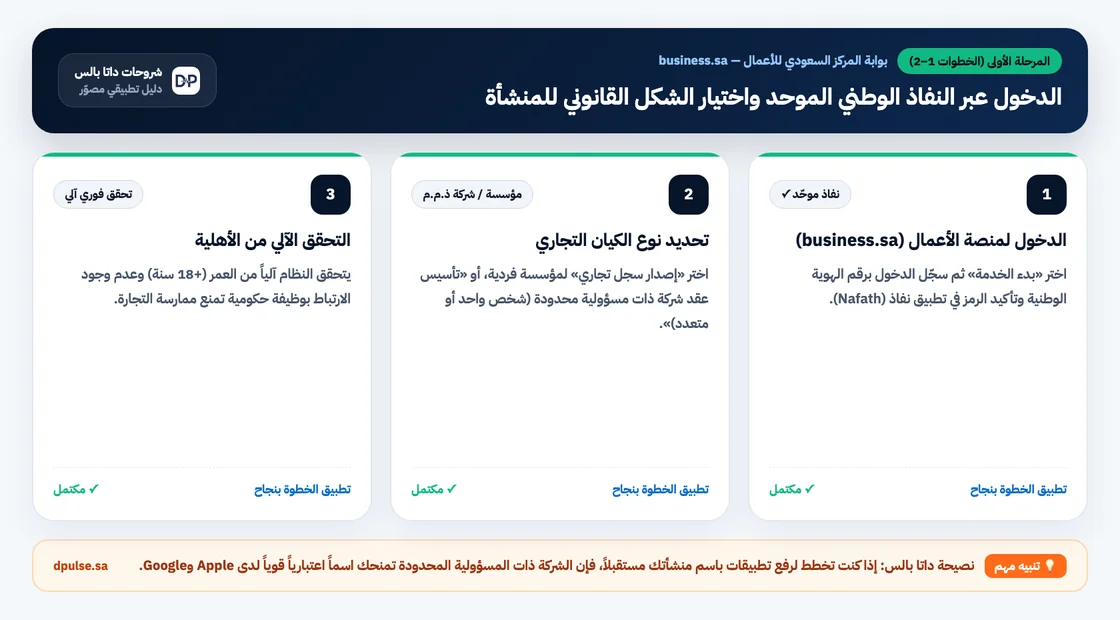
Step 1: Sign In to business.sa via Nafath & Choose Entity Type
Visit business.sa, open the Business Platform, and authenticate using the Nafath mobile app. Choose between an Individual Establishment (sole proprietorship) or a Limited Liability Company (Single-Member or Multi-Partner LLC). Note that an LLC provides an independent legal personality that is recognized immediately as an Organization by Apple Developer and Dun & Bradstreet.
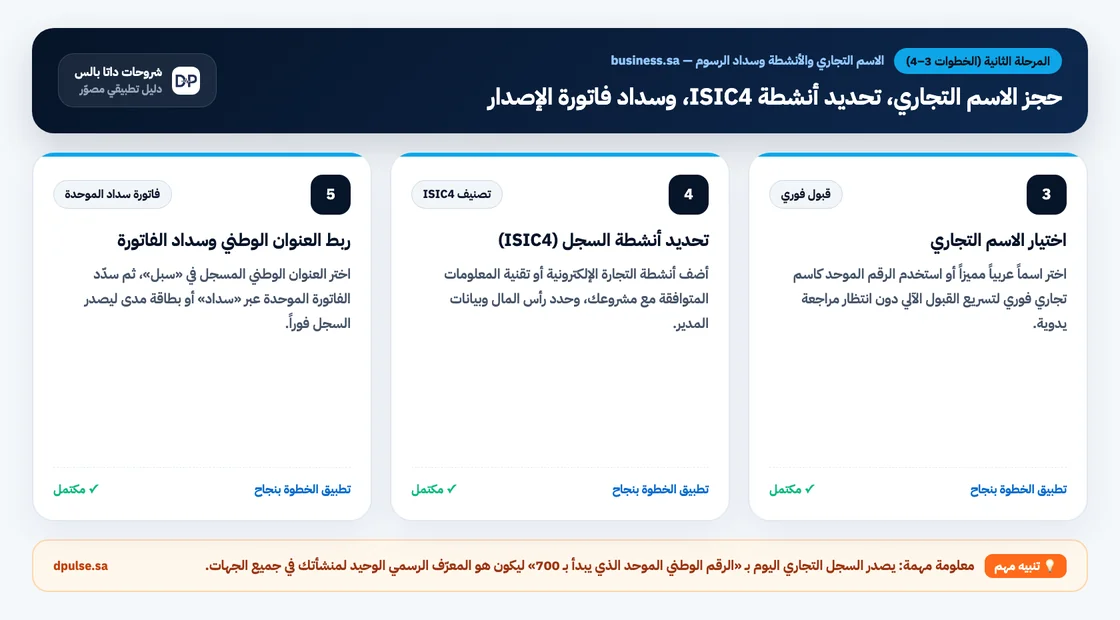
Step 2: Reserve Trade Name, Select ISIC4 Activities & Pay Unified Invoice
- Trade Name: Reserve an Arabic trade name or use your unified 700 number for instant automated approval.
- ISIC4 Business Activities: Select the exact e-commerce, software engineering, or digital platform activities matching your business model.
- National Address & SADAD Payment: Link your registered SPL National Address and pay the unified Ministry of Commerce + Chamber of Commerce invoice via SADAD or Mada to download your CR PDF immediately.
Step 3: Essential Post-Issuance Activation Checklist
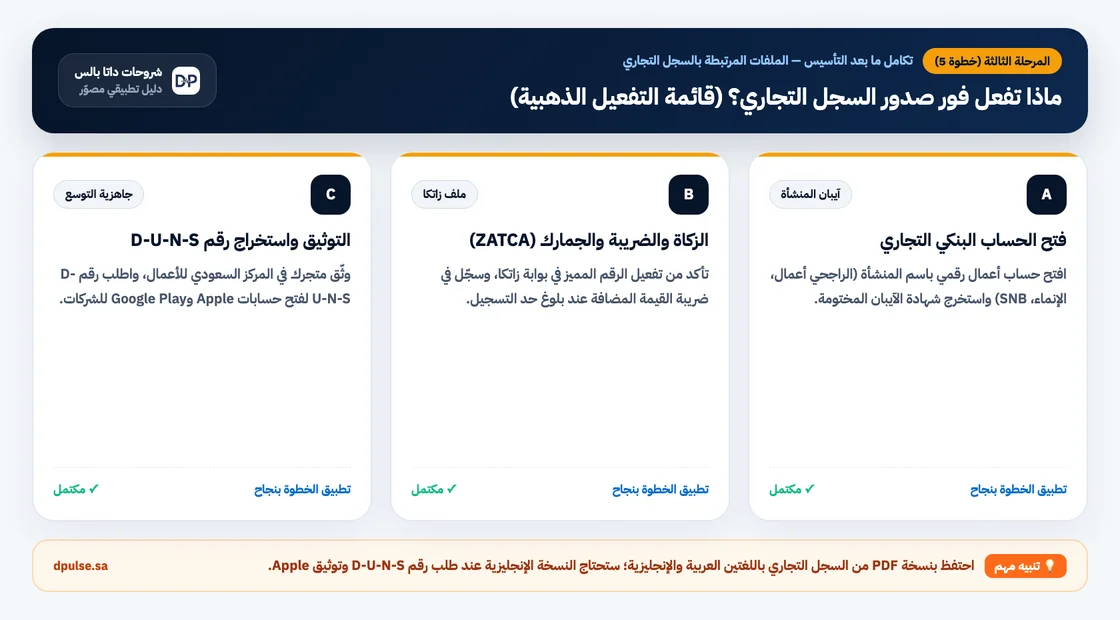
- Open a Corporate Bank Account: Obtain an official stamped IBAN certificate matching your CR legal name.
- Verify Your Online Store: Follow our Saudi Business Center Store Verification Guide.
- Register Your Official .sa Domain: Set up corporate email via our Saudi (.sa) Domain & Business Email Guide.
- Launch Mobile Apps Under Your Company Name: Request your D-U-N-S Number, then complete Apple Developer Enrollment and Google Play Console Setup.
Your Next Action Step